
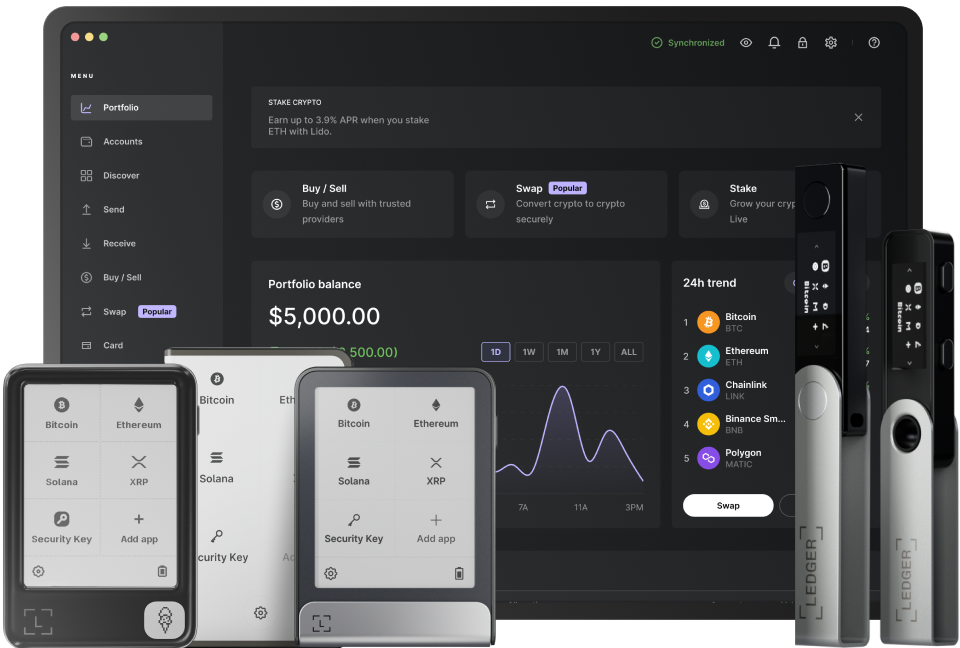
When it comes to using a Ledger device, one of the common questions is whether it can be used with an iPhone or an Android device. The answer is yes, but there are some specific requirements and steps to follow. First, let's understand the significance of using a Ledger with a mobile device. A Ledger is a hardware wallet that provides enhanced security for storing cryptocurrencies. By connecting it to a mobile device like an iPhone or Android, users can conveniently manage their digital assets on the go.
For iPhone users, the process involves using the Ledger Live app. To start, make sure your iPhone is running on a compatible iOS version. The app can be downloaded from the App Store. Once installed, open the app and follow the on - screen instructions to pair your Ledger device. You will need to connect your Ledger Nano S or Nano X to your iPhone using the appropriate cable. This cable is usually provided with the Ledger device. After connecting, the app will detect the device, and you can then set up your wallet. You may need to enter a PIN code on your Ledger device and confirm certain actions on the device's screen to complete the setup. It's important to note that for security reasons, all sensitive operations are confirmed on the physical Ledger device, not just on the phone app.
Android users also have the option to use their Ledger devices. Similar to iPhone users, they need to download the Ledger Live app from the Google Play Store. Before connecting, ensure that your Android device has the necessary permissions enabled. You can connect your Ledger device to your Android phone via USB or Bluetooth depending on your model. If using USB, make sure your phone supports OTG (On - The - Go) functionality. Once connected, the app will guide you through the setup process. You'll be asked to set up a PIN on your Ledger device and perform other security - related steps. The Ledger Live app allows you to view your cryptocurrency balances, send and receive funds, and manage your accounts.
In terms of security, using a Ledger with a mobile device offers a high - level of protection. The private keys are stored securely on the Ledger device, and only the device can sign transactions. Even if your phone is compromised, as long as your Ledger device remains secure, your digital assets are safe. However, it's still important to follow best practices such as keeping your phone's operating system updated and using strong passwords.
When using a Ledger with a mobile device, you can access various cryptocurrency networks. The Ledger Live app supports a wide range of cryptocurrencies including Bitcoin, Ethereum, and many others. You can easily switch between different accounts and manage multiple cryptocurrencies within the same app interface. Additionally, the app provides real - time market data, so you can stay informed about the value of your assets.
To troubleshoot any issues that may arise during the connection process, if your device is not detected, first check the cable connections. Make sure the cable is properly plugged in and not damaged. If using Bluetooth, ensure that both the Ledger device and your phone have Bluetooth enabled and are paired correctly. If the problem persists, you can refer to the official Ledger support website or contact their customer service for further assistance.
In conclusion (although we avoid this word, but summarizing the key points), using a Ledger with an iPhone or Android device is a convenient and secure way to manage your cryptocurrency assets. By following the proper steps for setup and connection, you can enjoy the benefits of having a hardware wallet integrated with your mobile experience. Whether you're an experienced crypto investor or just starting out, this combination offers a reliable solution for digital asset management.
TAG: Ledger Live your device mobile app using iPhone Android phone