
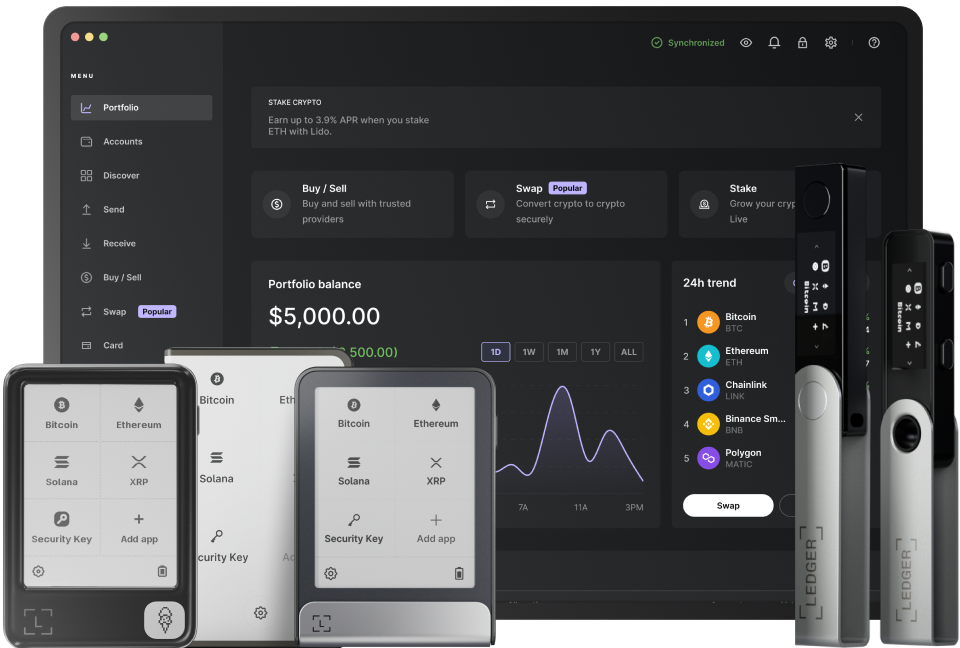
The connection between a Ledger device and Binance Smart Chain offers a secure and efficient way to manage your digital assets. First, ensure that your Ledger device is properly set up. You need to have the latest firmware installed on your Ledger. This can be done through the Ledger Live application. Connect your Ledger device to your computer using the provided cable and open the Ledger Live app. Navigate to the Manager section in the app. Here, you can check for firmware updates. If an update is available, follow the on - screen instructions to install it. A up - to - date firmware is crucial as it provides security patches and improved functionality.
Next, you should install the Ethereum app on your Ledger device via the Ledger Live Manager. Binance Smart Chain is an EVM - compatible blockchain, and the Ethereum app on Ledger will allow you to interact with it. In the Ledger Live Manager, search for the Ethereum app in the list of available apps. Click on the install button next to it. The installation process may take a few minutes, depending on your internet speed and the performance of your device. Once the installation is complete, make sure to open the Ethereum app on your Ledger device. You will be prompted to enter your PIN code, which adds an extra layer of security to your device.
After that, you need to connect your Ledger to MetaMask, which serves as a bridge between your Ledger and Binance Smart Chain. Download and install MetaMask on your browser if you haven't already. Open MetaMask and click on the wallet icon at the top - right corner. Select "Connect Hardware Wallet". From the list of available hardware wallets, choose "Ledger". Follow the instructions on the screen to pair your Ledger device with MetaMask. You may need to confirm the connection on both your Ledger device and in the MetaMask interface. This step is essential as MetaMask allows you to interact with decentralized applications (dApps) on Binance Smart Chain using your Ledger - stored assets.
In order to use Binance Smart Chain on MetaMask, you need to add its network details. Click on the network dropdown in MetaMask and select "Custom RPC". Enter relevant information such as chain ID (for Binance Smart Chain Mainnet, it is 56), RPC URL (e.g., https://bsc-dataseed.binance.org/), and currency symbol (BNB). After entering all the details correctly, click "Save". Now, you can switch to the Binance Smart Chain network within MetaMask. You should see your Ledger - connected wallet balance reflected in BNB once you are on the Binance Smart Chain network.
Finally, when you want to perform transactions on Binance Smart Chain, open the decentralized application you want to use. It could be a decentralized exchange or a lending platform etc.. When prompted for a transaction signature in the dApp interface within MetaMask, your Ledger device will display the transaction details. Review these details carefully on your Ledger to ensure they are correct. Then confirm the transaction on your Ledger device by pressing the appropriate buttons. This process guarantees that your private keys never leave your secure Ledger device, providing top - notch security for your digital asset transactions on Binance Smart Chain.
TAG: Ledger Live your device Ethereum app MetaMask Smart Chain Binance